How often should support devices be replaced? There is no single interval that fits every cane, walker, brace, wheelchair cushion, or other aid. Replacement depends on wear, fit, the user’s changing needs, and the maker’s care instructions. A device that looks intact may still slip, wobble, or provide poor support. Small clues matter: a cracked rubber tip, loose fastener, compressed cushion, frayed strap, or brace that rubs against the skin.
Rehabilitation engineering expert Rory A. Cooper is known for a user-centered approach to assistive technology. Rather than inventing a direct quotation, his work can be summarized this way: judge a device by whether it continues to serve the person safely and effectively. That is a useful starting point, not a substitute for individual assessment. A clinician, orthotist, or equipment supplier can inspect fit and function, especially after a fall, surgery, pain, or a change in balance or strength.
Keep a simple record. Note when the device was acquired, when parts were replaced, and what feels different during use. Check it regularly, and follow the manufacturer’s inspection and maintenance guidance. Don’t wait for a dramatic failure. And don’t replace equipment just because it seems old. The honest answer to how often should support devices be replaced is: when inspection, condition, or changing needs show that the current device no longer offers dependable support.
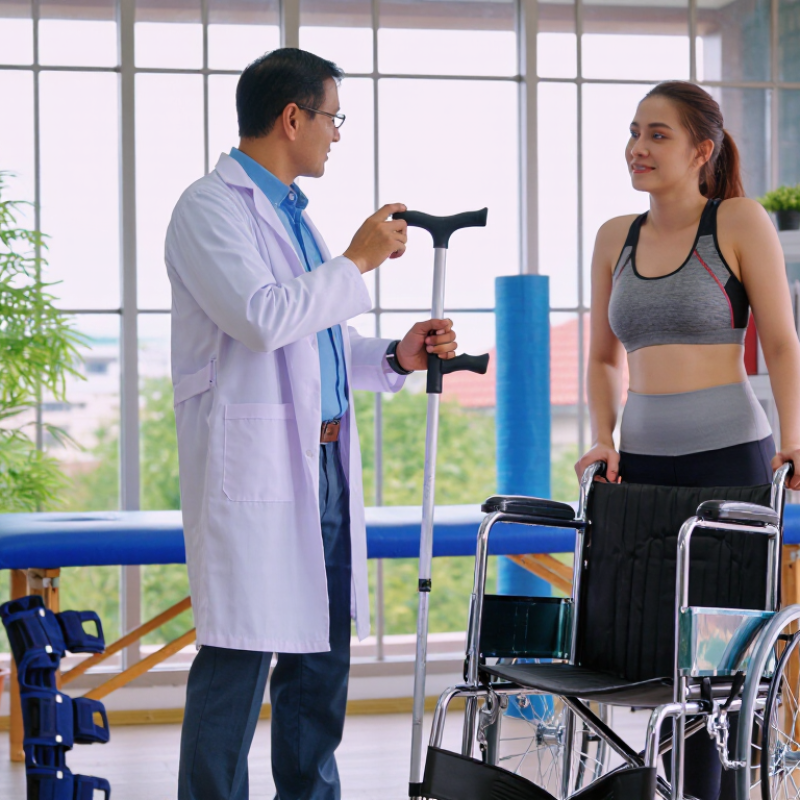
Support devices serve different needs, so replacement depends on their function and condition. Canes and crutches transfer weight and improve balance; walkers provide a wider, steadier base. Braces support joints or limit movement, while wheelchairs help users move with less strain. Each device should fit the person, not just the diagnosis. A cane that is too tall can lift the shoulder; worn walker tips may slide on a smooth kitchen floor. Small fit problems matter.
There is no single replacement schedule for every device. Inspect handles, straps, joints, wheels, and rubber tips regularly. Replace or repair a device when parts crack, loosen, bend, or no longer grip securely. Changes in pain, balance, strength, or body size can also mean the device needs adjustment—or a different type. A clinician or trained fitter can check the fit and explain safe use. Wear can be subtle. It is easy to miss.
Tips: Keep a simple inspection routine, especially after a fall or heavy use. Check rubber tips for smooth patches, and test brakes before sitting or leaning. If a device feels unstable, stop using it until it has been assessed. I might be tempted to tighten a loose part myself, but that can hide a deeper problem. For a device that supports daily movement, guessing is not a great repair plan.
Support devices do not all need replacement on the same schedule. Frequency depends on how often a brace, cane, walker, or other aid is used, and how much strain it handles. Daily use on rough ground can wear tips, straps, joints, and padding faster than occasional indoor use. Fit matters. A device that once felt secure may become uncomfortable after changes in strength, mobility, or body shape. Children may outgrow supports quickly.
Tips: Check seams, fasteners, grips, and rubber feet regularly. Look for cracks, loose parts, flattened padding, or wobbling. Keep a note of when problems appear; small changes are easy to overlook. Follow the maker’s care instructions, and ask a qualified clinician or equipment specialist to assess fit and safety when needed.
Damage is not the only reason to replace a device. A change in a person’s needs may make an older support less useful, even if it looks intact. Conversely, a scuffed surface alone may not mean replacement is necessary. It can be hard to judge by appearance. If a device slips, causes new pressure points, or no longer provides steady support, stop relying on guesswork and seek an assessment. Replacement timing should reflect condition, fit, and professional guidance—not a fixed calendar alone.
A support device does not need replacing on a fixed calendar. Its condition, fit, and purpose matter more than its age alone. Check it regularly, especially after heavy use or a fall. Look for frayed straps, loose fasteners, cracked plastic, bent parts, or worn padding. Small changes matter. A cane tip that slips on a smooth floor, for example, may be unsafe even when the handle looks fine.
Also notice how the device feels during ordinary tasks. New rubbing, pressure marks, wobbling, or extra effort can signal a poor fit or worn components. Clean the device as directed, then inspect it in good light; dirt can hide damage. Do not keep using a part that is cracked or unstable while waiting to see if it worsens. When safety is uncertain, pause use if possible and ask a qualified clinician or supplier to assess it. A quick visual check cannot reveal every problem.
Needs can change, too. Recovery, a new pain pattern, changes in strength, or a different daily routine may make yesterday’s support less suitable. That does not always mean replacing the whole device; an adjustment or repair may be enough. Still, it is easy to blame discomfort on “getting used to it.” That assumption deserves a second look. Seek professional guidance if fit or function has changed, and follow the device’s care instructions for replacement parts.
Use regular checks to spot wear, damage, or changing support needs. These are example review intervals, not universal replacement deadlines; follow the device instructions and seek professional advice when needed.
How to use this chart: Check the device before each use for cracks, loose parts, worn grips, frayed straps, or instability. Do a more thorough condition check monthly, and review fit and support needs about every six months—or sooner after a change in comfort, mobility, body size, or daily activities. Stop using a device that appears unsafe and contact a qualified professional.
Replacement schedules vary by device, fit, use, and wear. For wheelchairs, Medicare’s Durable Medical Equipment guidance generally uses five years as the reasonable useful lifetime before routine replacement. This is a coverage benchmark, not a guarantee that a chair will last five years. A cracked frame, failing brakes, or a major change in posture may require earlier assessment. RESNA’s wheelchair service guidance also emphasizes maintenance and repair, rather than relying on age alone.
Canes and walkers have no universal replacement date. Check rubber tips, grips, joints, and frame stability regularly; replace worn or bent parts before they become a fall risk. Braces and other orthoses need review when they rub, loosen, or stop controlling movement. Growth and changes in swelling can alter fit quickly. Sometimes the device looks fine, but no longer fits the person.
The scale is significant. The WHO-UNICEF Global Report on Assistive Technology estimates that more than 2.5 billion people need one or more assistive products, with demand expected to rise. That makes dependable follow-up important. Keep a simple record of purchase dates, repairs, and fit changes. It is easy to forget. A clinician or qualified equipment professional can help distinguish normal wear from a change in medical need.
How Often Should Support Devices Be Replaced?
Steps for Planning a Safe Replacement
Plan replacement around device condition, user needs, and risk—not age alone. A walker with a loose brake needs attention now, even if it is relatively new. Check frames, fasteners, wheels, grips, straps, and padding for cracks, wobble, fraying, or changes in fit. Review cleaning, repair, and inspection records. Small signs matter. Follow the device’s maintenance instructions, and involve a qualified clinician or equipment technician when damage or fit changes could affect safe use.
Build a replacement list with each device’s location, user, condition, service history, and expected lead time. The World Health Organization and UNICEF reported in their 2022 Global Report on Assistive Technology that more than 2.5 billion people need one or more assistive products; that figure could reach 3.5 billion by 2050. This growing need makes early planning practical: identify high-risk devices first, then arrange assessment, fitting, and user training before a replacement is required. Keep a temporary backup plan. It may look adequate on paper, but a rushed swap can leave a user with the wrong height or support. Recheck fit after delivery, and record any concerns for the next review.
| Support device | Suggested inspection frequency | Replacement planning guide | Signs replacement may be needed | Safe replacement steps |
|---|---|---|---|---|
| Cane or crutches | Before each use; check tips and adjustment locks regularly | Review at least every 6–12 months, or sooner with heavy daily use | Cracked shaft, loose handle, slipping or worn tip, bent frame, or unreliable height adjustment | Arrange a fit check; obtain a correctly sized replacement; confirm the tip grips the floor before relying on it |
| Walker or rollator | Before use; check brakes, wheels, grips, and frame monthly | Review every 6–12 months; earlier if used daily or outdoors | Brakes do not hold, wheels wobble, frame is bent, folding locks fail, or grips are loose | Have the device assessed; match handle height and features; test brakes and stability in a clear area |
| Manual wheelchair | Before use; inspect tires, brakes, wheels, and seating monthly | Review condition and fit at least annually; timing varies with use and maintenance | Frame damage, ineffective brakes, repeated wheel or tire failure, damaged upholstery, or poor fit | Consult a qualified seating or mobility professional; assess fit and transfer needs; check brakes and seating before use |
| Shower chair or transfer bench | Before use; inspect feet, seat, fasteners, and frame monthly | Review every 6–12 months, especially in frequently used or damp environments | Cracks, corrosion, loose joints, unstable legs, damaged non-slip feet, or seat movement | Confirm the replacement suits the user and bathroom; assemble as directed; test stability on the wet-area surface |
| Transfer belt | Before each use; inspect stitching, webbing, and buckle regularly | Review at least every 6–12 months, or after frequent laundering or heavy use | Frayed webbing, torn stitching, a damaged buckle, or a buckle that will not secure properly | Select the appropriate size and style; ensure caregivers know how to use it; do not use a damaged belt |
| Pressure-relief cushion | Check condition and positioning daily; inspect cover and cushion regularly | Review at least annually and whenever body shape, mobility, or skin risk changes | Loss of support, permanent flattening, damaged cover, fluid leakage, or new discomfort or skin concerns | Seek a clinical seating review; confirm the cushion orientation and fit; monitor comfort and skin after the change |
Planning note: These are review intervals, not fixed expiration dates. Support-device service life varies with design, frequency of use, environment, maintenance, and the user's needs. Follow the manufacturer's inspection instructions and arrange a professional assessment when fit, function, or safety is uncertain.
There is no fixed schedule for every device. Replace or repair it when parts crack, loosen, bend, or lose their grip. Age alone is not enough.
Check rubber tips for smooth patches, grips for wear, and frames or joints for looseness. A tip sliding on a kitchen floor needs attention. Small details matter.
A cracked frame, failing brakes, or a major posture change may need prompt review. Five years is a general coverage benchmark, not a promise that a chair will last that long.
Rubbing, loosening, or reduced movement control can signal a poor fit. Changes in growth or swelling may also affect fit quickly. It may look fine.
Stop using it until a qualified clinician or equipment professional assesses it. Worn parts can increase fall risk. Don’t guess.
A loose part may point to a deeper problem. Follow the device’s maintenance instructions and seek professional advice when safety could be affected. I might try tightening it, but that could hide the real issue.
Record the device’s location, user, condition, purchase date, repairs, and fit changes. Note how long a replacement may take. Easy to forget.
Arrange assessment, fitting, and user training before the old device becomes unusable. Keep a temporary backup plan, then recheck fit after delivery. A rushed swap can still be wrong.
Support devices help people move, maintain balance, reduce strain, or carry out daily activities more safely. How often should support devices be replaced depends on the device type, how frequently and intensively it is used, the user’s environment, and changes in the user’s strength, mobility, or fit. A cane, brace, walker, or other aid may wear at a different rate, so general timelines are only starting points rather than fixed rules.
Check devices regularly for cracks, loose joints, bent parts, worn grips or tips, unstable movement, and changes in comfort or support. Any damage that affects safe use, or a noticeable change in the user’s needs, may mean the device should be repaired, adjusted, or replaced sooner. To plan a safe replacement, note inspection findings, consult a qualified health professional when fit or function is uncertain, and arrange a suitable new device before the current one becomes unreliable.

Medivoxa Medical